Beautiful Cookie Banner for WordPress

Your WordPress cookie banner. Your design.

Customize your banner's colors, text, and layout in WordPress. Add Premium for Google Consent Mode v2, multilingual banners, and service blocking.

One-time payment also available

Incl. VAT. Annual plans renew automatically.

Just need a customizable banner? Get the free plugin. (opens in a new tab)

40,000+ active WordPress installations · 4.5/5 on WordPress.org (opens in a new tab)

“It's beautiful, functional, easy to configure, and works really well.”

WordPress.org user review · October 30, 2026 Read the review on WordPress.org (opens in a new tab)

Choose your Premium update coverage.

Both Premium plans include the same features. Choose how many domains need updates.

Free

Customize your banner

€0

Free WordPress plugin

Use it on as many websites as you like.

Get the free plugin (opens in a new tab)
  • No domain limits
  • Customizable text, colors, and layout
  • Several banner templates
  • Preview the banner in WordPress
  • Google Tag Manager dataLayer events
  • WP Consent API integration
  • Pixel Manager for WooCommerce integration
  • First-party only: no third-party requests
Compare all features

Premium 100

Updates for 100 domains

€29 / year

Incl. VAT. Billed annually.

For agencies and people managing many websites.

Get Premium 100

Renews yearly. Cancel anytime.

  • Everything in Free
  • Google Consent Mode v2
  • Multilingual banners
  • Service blocking (beta)
  • Microsoft Clarity and Bing UET support
  • Consent statistics and logs

Compare all features

Prefer to pay once? Premium 2 €49 · Premium 100 €69, one-time.

Premium is an add-on to the free WordPress plugin. Install both plugins to use Premium features.

Checkout is handled by Paddle. You can review your order before paying.

Add the consent tools your website needs.

Keep the customizable banner. Extend it with Premium.

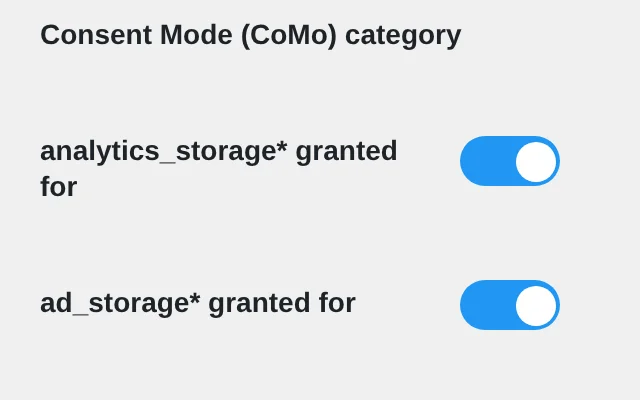
Google Consent Mode v2 settings of the Premium add-on in WordPress.

Connect consent choices to your Google tags.

Configure Google Consent Mode v2 signals for Google Analytics and Google Ads, right from WordPress.

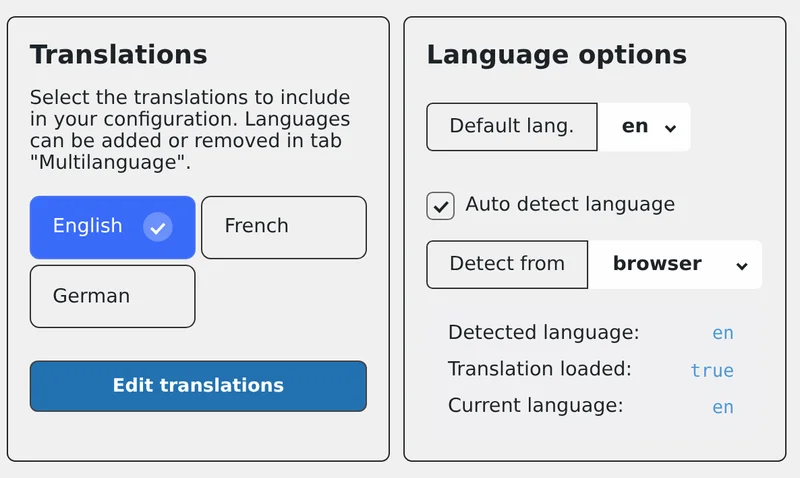
Language settings for banner texts in the Premium add-on.

Show your banner in more languages.

Add translated banner text and detect the language from the visitor's browser or your page language.

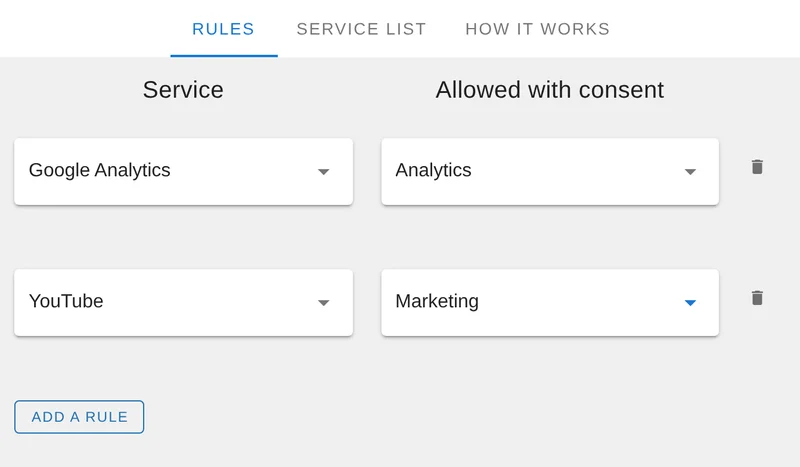
Service blocking settings: a service assigned to a consent category.

Control when supported services load.

Assign supported services to consent categories and block them until visitors agree.

Service blocking is in beta. Test it on your website before going live.

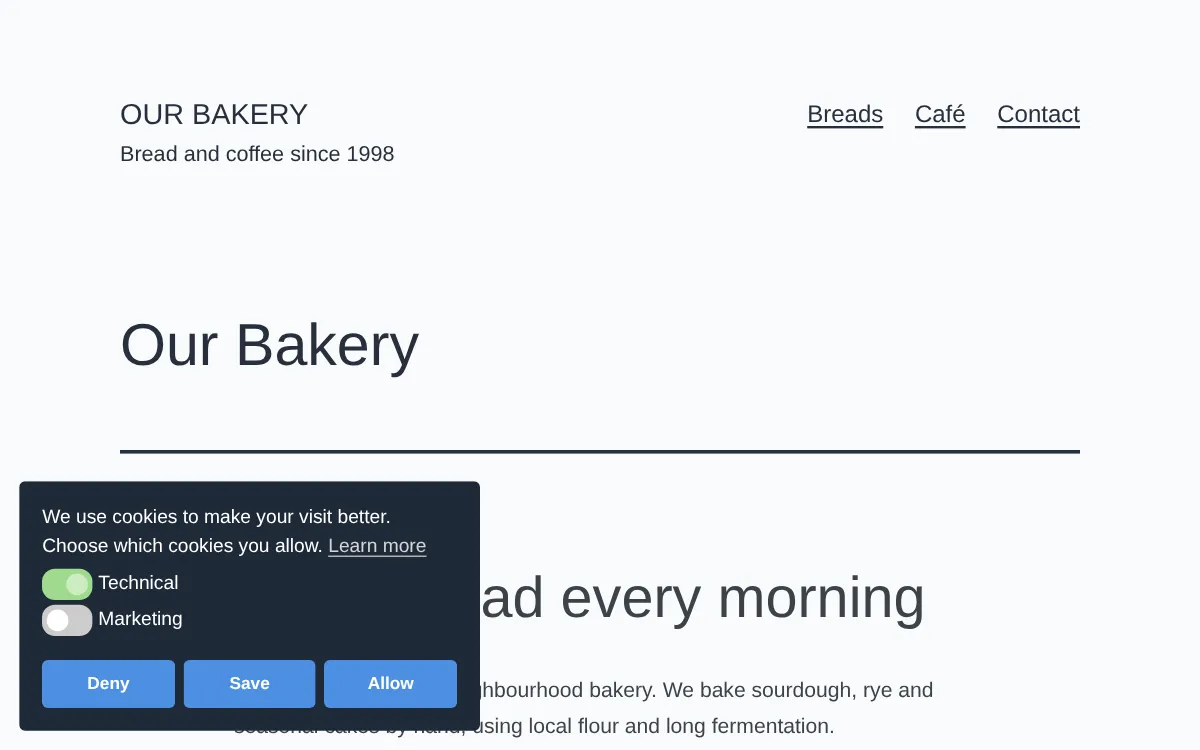
See how your banner could look.

A sample banner with configurable text, colors, and consent categories. Set up your own version in WordPress.

Cookie banner example with consent categories and Save and Allow buttons.
Banner example
Beautiful Cookie Banner showing consent categories and visitor choice buttons.
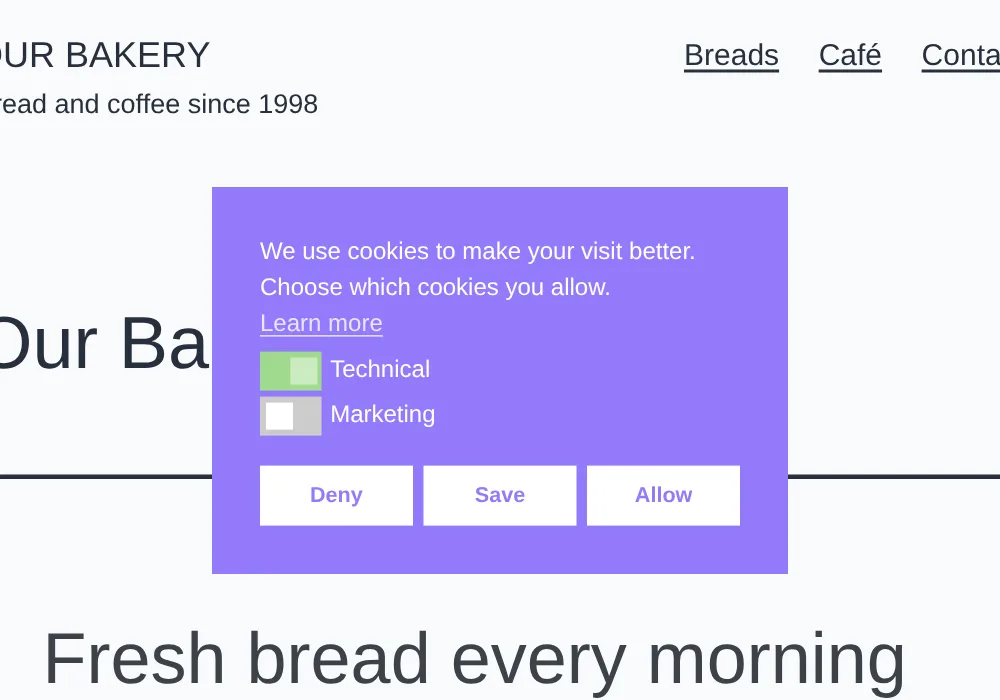
Banner example: centered box

The cookie banner on this website is made with Beautiful Cookie Banner.

Compare Premium plans

What's included in Free and Premium?

Choose Free for banner customization. Choose Premium when you need the integrations and controls below.

Features included in Free and Premium
CapabilityFreePremium
Banner
No domain limitsIncludedIncluded
Customize all texts, colors and appearanceIncludedIncluded
Several banner templatesIncludedIncluded
Preview the banner in WordPressIncludedIncluded
Five consent options; consent on scroll or after a timeIncludedIncluded
Block the page until the visitor choosesIncludedIncluded
Configurable consent durationIncludedIncluded
Visitors can change settings (with or without shortcode)IncludedIncluded
Import and export settingsIncludedIncluded
Server cookies to reduce unnecessary banner viewsIncludedIncluded
Delay the banner popupNot includedIncluded
Any SVG icon for the cookie settings tabNot includedIncluded
Pages where the banner is not shownNot includedIncluded
Multiple banner languagesNot includedIncluded
Integrations
Google Tag Manager dataLayer eventsIncludedIncluded
WP Consent API integrationIncludedIncluded
Pixel Manager for WooCommerce integrationIncludedIncluded
Load the Google Tag Manager container through the pluginNot includedIncluded
Google Consent Mode v2Not includedIncluded
Microsoft Clarity consent APINot includedIncluded
Microsoft Bing UETNot includedIncluded
Blocking and control
First-party only: the banner loads from your website No CDN, no third-party requests. Better for your visitors' privacy.IncludedIncluded
Service blockingNot includedIncluded beta
Custom placeholder templates for blocked iframesNot includedIncluded
Consent statistics and logsNot includedIncluded
User permissions for banner settingsNot includedIncluded
Configure saved status for specific casesNot includedIncluded
API for managing and exporting cookie settingsNot includedIncluded

Both Premium plans include all these features. The difference is update coverage.

View Premium plans

From purchase to WordPress setup.

  1. 1. Install the free plugin.

    Add Beautiful Cookie Consent Banner from the WordPress plugin directory.

  2. 2. Install the Premium add-on.

    Download the add-on from your order confirmation or customer portal, then upload and activate it alongside the free plugin.

  3. 3. Add your key and configure.

    Enter your license key under Settings → Cookie Consent Banner → License, then set up the integrations you need.

Read the installation guide

Built for people comfortable configuring WordPress. Setup is self-service, with documentation and limited configuration support.

Questions before you choose?

What do I need to install?

The free Beautiful Cookie Consent Banner plugin plus the Premium add-on. After purchase, download the add-on, install it alongside the free plugin, and enter your license key.

Do I need Premium for Google Consent Mode v2?

Yes. The integration is part of Premium. It sends the consent signals you configure; your Google tags need to be set up to use them.

What's the difference between Premium 2 and Premium 100?

Same features. Premium 2 includes updates for 2 domains, Premium 100 for 100 domains.

Does the annual plan renew automatically?

Yes. You can cancel future renewals anytime in the customer portal. Prefer to pay only once? Choose the one-time payment instead: no subscription, no renewals.

Is there a one-time payment option?

Yes. Choose “One-time payment” above the plans: €49 for 2 domains or €69 for 100 domains. You pay once: no subscription, no renewal, no hidden fees. Every update we release is included at no extra cost, for as long as we develop the add-on.

Will it work with my theme and caching plugin?

The banner is added to the page with JavaScript, independently of your theme's templates, so it is designed to work with any WordPress theme. If you use a caching or speed optimization plugin, some settings may need adjusting: features that combine or delay JavaScript can stop the banner from loading. Our guide shows what to change.

Which WordPress and PHP versions are required?

WordPress 5.2 or later and PHP 7.2 or later. The Premium add-on is tested up to WordPress 7.1 and requires the free plugin to be installed.

Does it support WordPress Multisite?

Only on one site per network. You can install and use the plugin on a single site of a Multisite network. Using it on several sites in the same network is not supported.

Can I show the banner in several languages?

Yes, with Premium. Add translated banner texts and detect the language from the visitor's browser or your page language.

Does the plugin make my website GDPR compliant?

No plugin can do that on its own. Compliance depends on your services, your configuration and your legal requirements. Beautiful Cookie Banner gives you the tools to ask for and respect consent; it does not replace a review of your setup.

What support is included?

Our documentation answers most questions about setup and common issues. We keep Premium this affordable by not offering full configuration support for every individual setup; otherwise prices this low wouldn't be possible. We still want everyone to be happy: if something doesn't work, or you're unsure whether the plugin fits your setup, just get in touch (ideally before buying) and we'll do our best to help.

Where can I find cancellation and refund information?

You can cancel your annual plan anytime in the customer portal. It stays active until the end of the paid year and then simply won't renew. All details on cancellation and refunds are in our Terms & Conditions. Orders, payments and refunds are handled by Paddle.

Ready to add Premium to your WordPress banner?

Choose your update coverage and get started with the Premium add-on.

View Premium plans

Start with the free plugin (opens in a new tab)